Ten domains, one picture
Every health app sees a piece. Panora sees the whole you.
All 10 of your health domains, finally connected in one place.
Everything your health touches, in one place.
Most apps track one or two. Panora connects all ten — so the patterns between them finally surface.
Bring in data from:
Blood work
What Panora reads
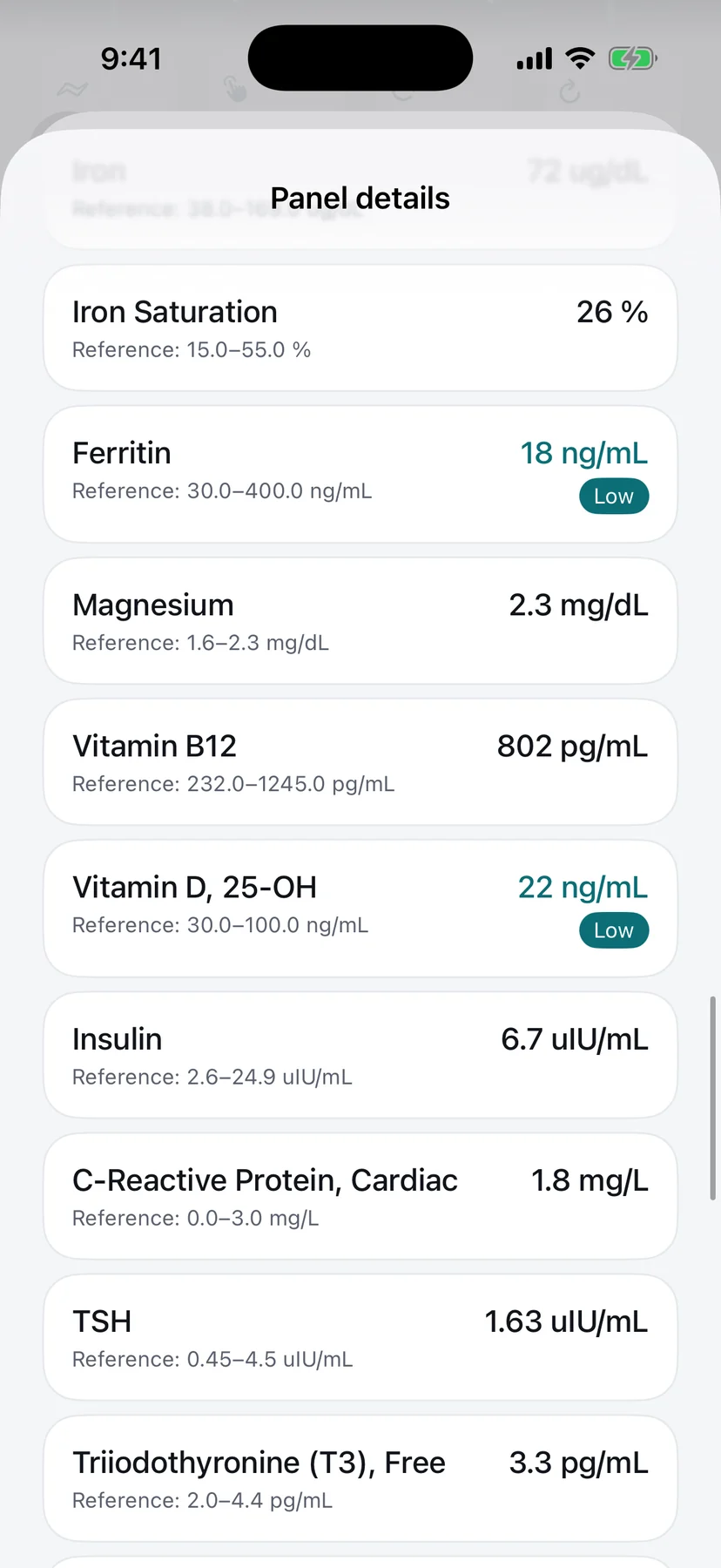
- Each marker, beside its typical reference range
- Panels over time, so trends show
- A photo of your lab report, read for you
What it connects to
- Nutrition
- Supplements
- Sleep & recovery
An example observation
A few values in your iron panel sit below the typical reference range, and your logged meals have been light on iron-rich foods this month. Worth a conversation with your healthcare provider.
One plan, built for you.
Around your goals and your biology.
The pieces Panora connects
10 domains
Read together, not one at a time
One daily check-in
Just talk. Panora logs the rest.
Every marker, in context
Beside its typical reference range
Yours to control
Export or delete, anytime
One app for your whole health picture
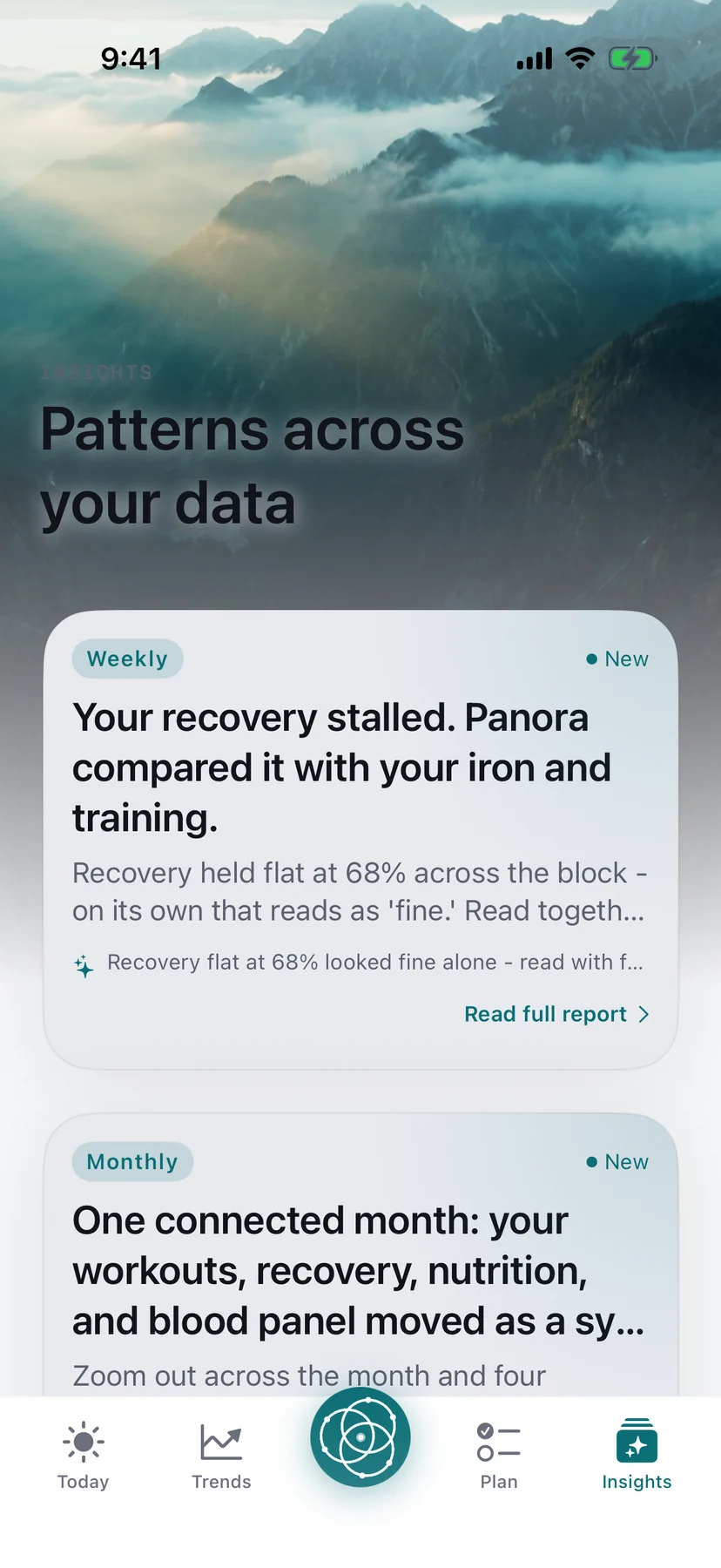
Panora reads your signals together.
Recovery, training, sleep and blood work, read as one observation — so a number that looks fine alone doesn't slip past you.
Every marker, in plain language.
Add a panel and see each value beside its typical reference range — no decoder ring required.
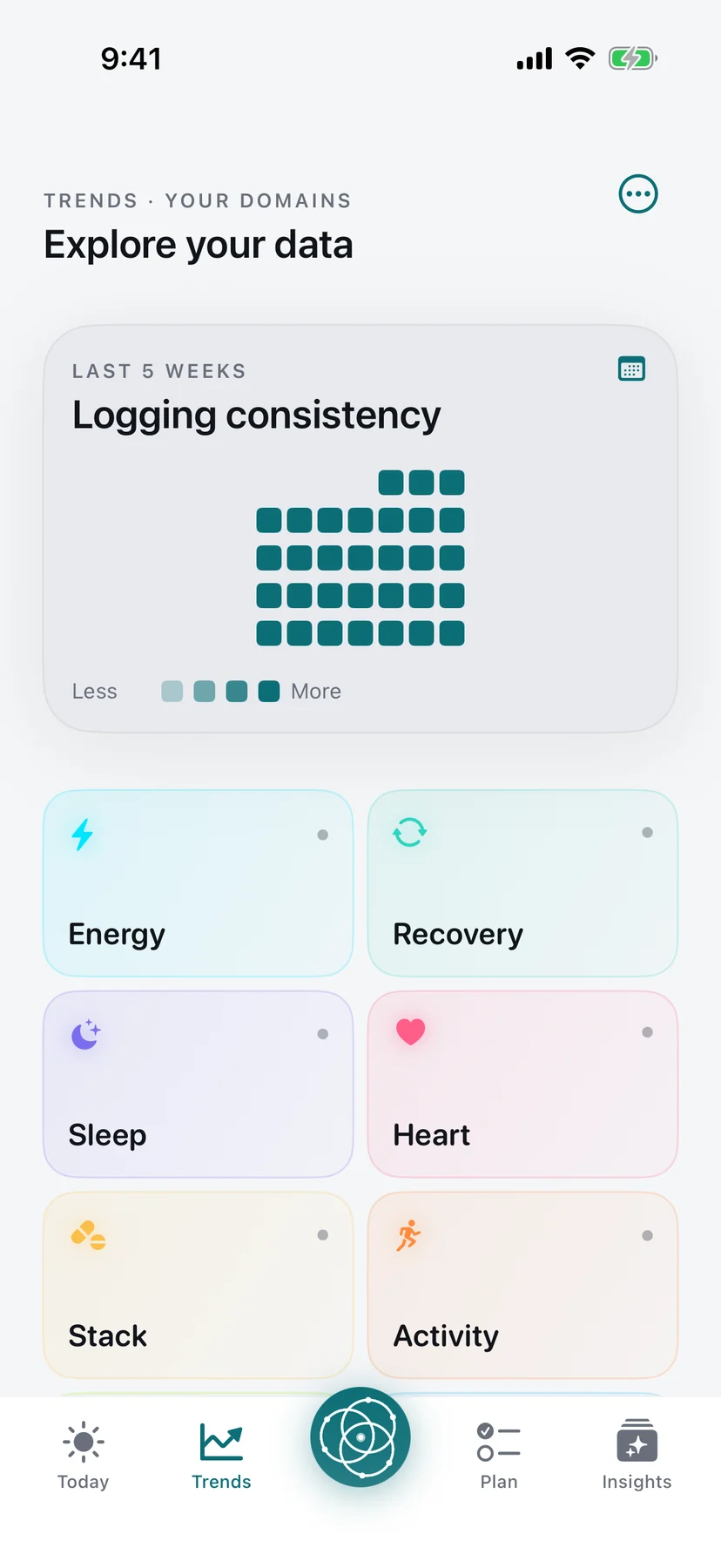
Watch the pattern, not just today.
Weeks of logging in one view — energy, sleep, recovery and heart, trending together.
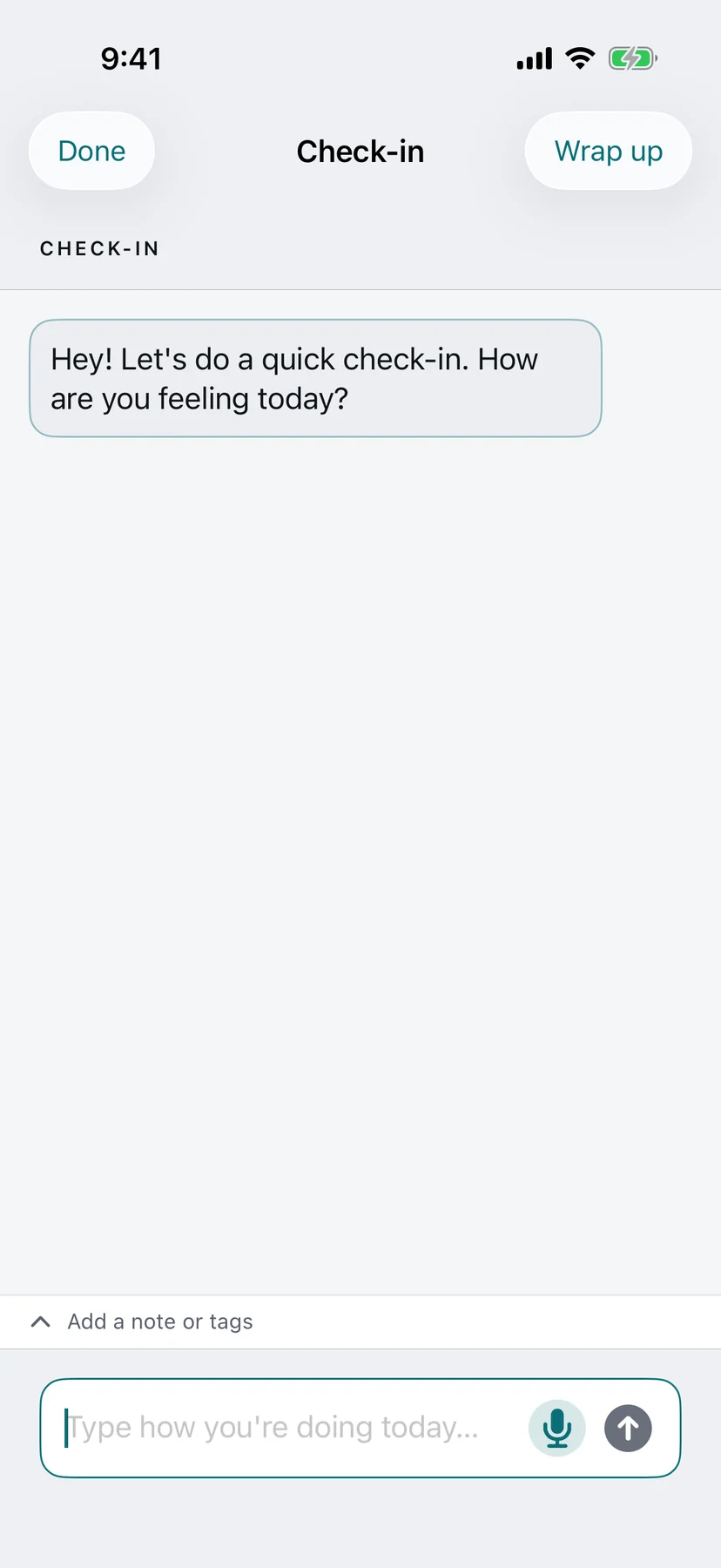
Just talk. Panora logs the rest.
A quick daily check-in turns "how are you feeling today?" into structured entries across every domain.
How Panora works
Three steps. Start with whatever you have.
- 01
Add the data you have
Apple Health, your wearable, blood work, or a photo of your labs. Whatever you already track.
- Apple Health
- Blood work
- Photo of your labs
- 02
Check in once a day
Say how you slept or what you ate. Panora files it into the right domain.
- Voice or text
- No forms
- Logged for you
- 03
See the whole picture
Your ten domains, read together, with wellness observations in plain language.
- Ten domains
- Plain language
- Screened before you see it
Encrypted in transit and at rest. We don't sell your data.
No data requirements. Start with whatever you already track, and add the rest whenever.
See the whole picture, one screen at a time
Real screens from the iPhone app — blood work, training, sleep and nutrition, read side by side.
Just talk. Panora logs the rest.
A quick daily check-in turns "how are you feeling today?" into structured entries across every domain — no forms, no tapping through menus.
The new standard for reading your own health data
See how Panora compares with keeping every signal in a separate place.
Why Panora exists
Every app saw a piece. Nobody saw the whole.
Blood work in a PDF. Sleep in a wearable app. Meals in a third app, supplements in a note, and a visit once a year to make sense of it all. Most of us have never seen those pieces side by side.
Panora is those pieces in one place. Add what you already track, check in once a day, and read your ten domains together instead of one screen at a time.
Ten domains is where we start. What we build next comes from what people tell us they still can't see.
Built on trust.
No borrowed logos, no invented reviews — just what is actually true about how Panora works.
Wellness-safe by design
01 · THE FILTEREvery AI wellness observation is screened for medical-advice and diagnostic language before you see it — so Panora shares wellness information, not medical advice.
Research when available
02 · THE SOURCESWhen markers in your blood work fall outside their listed reference ranges, Panora checks a few of them against NCBI's PubMed — the published biomedical literature — and folds what it finds into your analysis.
Your data, your call
03 · YOUR CONTROLSYour data is encrypted in transit and at rest. Export it anytime, delete your account whenever you choose, and nothing is analyzed by AI without your consent.
Wellness information, not medical advice
04 · THE POSTUREPanora is a general wellness product. It is not a medical device, and it never replaces a conversation with your healthcare provider.
Your wearable, through Apple Health
05 · THE PLUMBINGOn iPhone, Panora reads the sleep, recovery and heart data your wearable already shares with Apple Health. No separate device integration, nothing to re-key.
Your whole health, in one place.
Panora is on iPhone today. Bring your blood work, training, sleep and nutrition together, and see them read side by side.

There is a bigger reason we built Panora. Read our mission
Questions about Panora
01Is Panora a medical device?
No. Panora is a general wellness product. It shares wellness information and observations, not medical advice, and it is not a substitute for a licensed healthcare provider.
02What can I track in Panora?
Ten domains: blood work, nutrition, training, supplements, sleep & recovery, mind, menstrual cycle, medications, hydration and lifestyle habits.
03Does Panora work with my wearable?
On iPhone, Panora reads the sleep, recovery and heart data your wearable already shares with Apple Health. Turn on the Apple Health connection in your wearable's own app, then allow Panora to read it.
04How does the AI part work?
Panora's AI reads your domains together and writes wellness observations in plain language. Those observations are AI-generated and never a substitute for your healthcare provider. Every observation is screened for diagnostic or medical-advice language before you see it.
05Is my data private?
Your data is encrypted in transit and at rest. You can lock the app with Face ID, export your data anytime, turn AI processing off, and delete your account whenever you choose.
06Is Panora on Android?
Not yet. Panora is on iPhone today, and Android is coming soon.
07How do I get started?
Download Panora on the App Store, add the data you already have, and do your first check-in. The connected picture builds from there.
Something about Panora we didn't cover?
Get in touch