Make Hydration Stick: Track Hydration With Apps or Low Tech in 30 Days
The easiest way to track hydration is to pick one system, an app with one-tap logging or a large marked bottle, and stick with it daily while aiming for a personalized target of roughly 35 ml per kilogram of body weight. Start now: log the water you just drank or the one you’re about to. Individual needs vary, so anyone managing a health condition should confirm their target with a clinician before adjusting it.
TL;DR:
Using a consistent hydration tracking system, such as an app, smart bottle, or visual cue, is crucial for establishing lasting water intake habits.
The personalized daily water target for an adult is roughly 35 milliliters per kilogram of body weight, adjusted for exercise and climate conditions.
Self-monitoring elevates water consumption by approximately 20 to 25 percent, with tools chosen based on ease of logging and long-term maintenance.
Spread water intake evenly across the day to avoid sleep disruptions, adjusting targets for activity, heat, or altitude.
Centralized health platforms like Panora Health integrate hydration data with sleep and blood work, offering insights into overall health patterns without telling you what’s wrong.
Table of Contents
-
How do you pick a hydration app or system you’ll actually keep using?
-
How does hydration fit into your broader wearable and lab data?
Which method actually works for tracking your water intake?
Three approaches dominate hydration tracking, and each fits a different kind of person. Picking the wrong one is the number one reason people quit within a week.
Apps work well if you like data. A good hydration tracker app logs each glass with one tap, syncs to a smartwatch widget, and shows weekly trends so you can see whether Tuesdays are consistently your worst day. The catch: logging fatigue is real, and many of the best hydration tracker apps lock reminders or trend charts behind a paywall. Apps shine during the first month of habit-building, when you need the nudge of a notification more than you need a permanent system.
Smart bottles sense how much you drink and log it automatically, no tapping required. That passive tracking removes the single biggest failure point, forgetting to log. The tradeoff is cost, a battery to charge, and a Bluetooth sync that occasionally drops a glass or two from your total. These suit people who already own smart home gear and don’t mind one more device to charge overnight.
Low-tech systems cost nothing and never run out of battery. A one-liter bottle refilled three times, a bottle with time marks printed down the side (“finish this line by 10 a.m.”), or three rubber bands moved from the neck to the base as you refill, all work. You lose granular data, no charts showing your Tuesday dip, but you gain something apps can’t offer: a system that still works after your phone dies or your subscription lapses.
A practical way to choose:
-
Starting out and need motivation? Use an app for the first 30 days to build awareness and get used to the habit.
-
Already disciplined but forgetful? A time-marked bottle solves the “did I drink enough by lunch” problem without any screen time.
-
Want zero maintenance long-term? Downgrade from an app to a large bottle once the habit sticks, most people plateau on app engagement after a month or two anyway.
-
Tech-comfortable and willing to spend? A smart bottle bridges the gap, automatic tracking without the manual tapping.
Tracking itself moves the needle regardless of which tool you pick. Self-monitoring is one of the more reliable levers in behavior change research, and studies on water intake specifically show it increasing daily consumption by roughly 18 to 25 percent when people log consistently. The tool matters less than the consistency.
How do you calculate your personal daily water target?
Skip the generic “eight glasses a day” advice. A more individualized starting point comes from your body weight: multiply your weight in kilograms by 35 ml. A 70 kg (154 lb) adult lands at roughly 2.45 liters, or about five 16-ounce bottles a day. This weight-based approach is the same baseline logic used in National Academies guidance on water intake, which recommends 30 to 35 ml per kilogram as a starting benchmark before adjusting for activity and climate.
| Body weight | Baseline target (35 ml/kg) | Approx. liters | 16 oz bottles |
|---|---|---|---|
| 55 kg | 1,925 ml | 1.9 L | 4 bottles |
| 70 kg (154 lb) | 2,450 ml | 2.5 L | 5 bottles |
| 85 kg | 2,975 ml | 3.0 L | 6 bottles |
| 100 kg | 3,500 ml | 3.5 L | 7 bottles |
That baseline number isn’t static. Add roughly 500 to 750 ml for every hour of moderate exercise, and push it higher still in hot, humid conditions or at elevation, where fluid losses climb faster than most people expect. Pregnant or breastfeeding readers, and anyone managing a chronic condition, should treat these numbers as a starting conversation with a clinician rather than a fixed rule, since individual hydration needs vary with age, health status, and other personal factors.
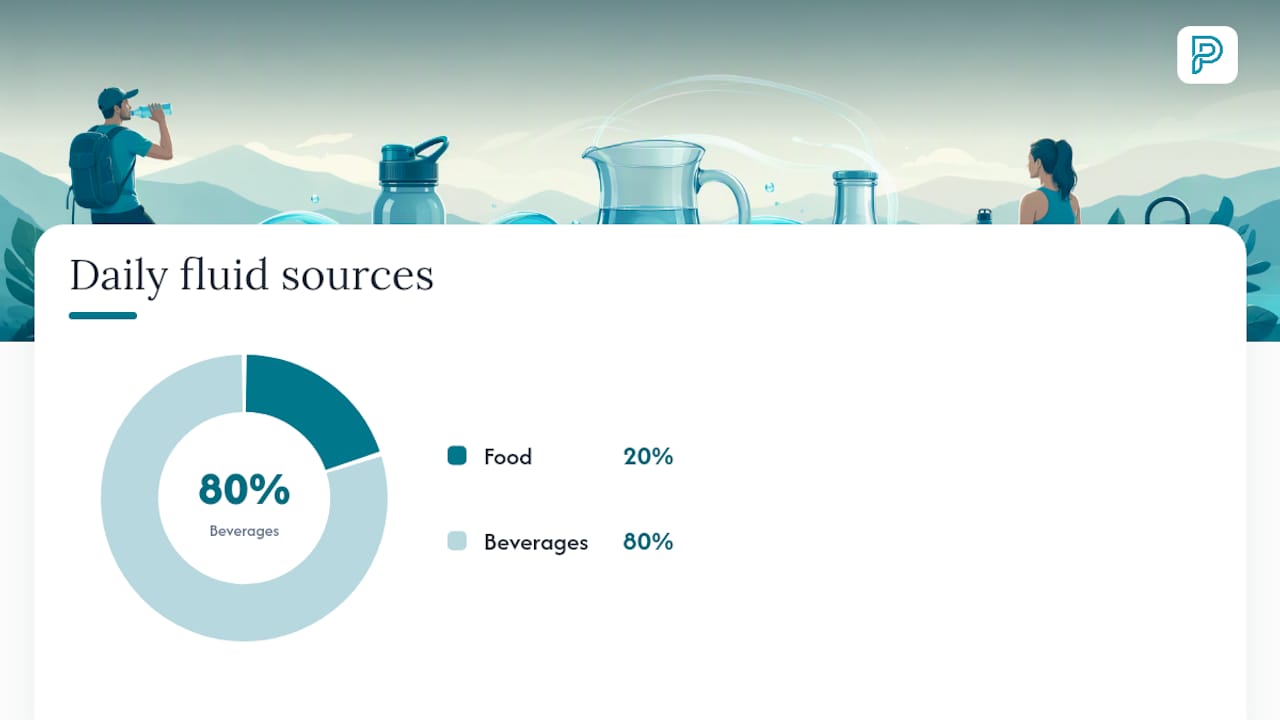
Coffee and tea count toward your fluid total, despite the old myth that caffeine cancels out hydration. The diuretic effect is mild at normal intake levels and doesn’t erase the water content of the drink itself. Food adds more than people assume, too: a diet with regular fruits, vegetables, and soups typically supplies around 20 percent of daily fluid needs, so your tracked liquid intake doesn’t have to hit 100 percent of the calculated target on its own.
A 30-day plan to build a hydration habit that lasts
Building the habit works best in stages instead of trying to hit a perfect number on day one.
-
Week 1, awareness. Log everything you drink without trying to change anything yet. This tells you your true baseline and where the biggest gaps sit, usually mid-afternoon and evenings.
-
Week 2, small additions. Add one or two extra glasses at fixed anchor points, first thing in the morning and right before lunch, and keep logging.
-
Week 3, habit stacking. Attach a drink to an existing routine: water before every meeting, a full glass before each meal, a refill immediately after a workout.
-
Week 4, lock-in. Hit your calculated target consistently and start weaning off constant app-checking. This is the natural point to shift toward a low-tech visible system for the long haul, since research on sustainable tracking systems points to visual cues like time-marked bottles outperforming apps once the habit is established.
During these four weeks, lean on your app’s one-tap logging, adaptive reminders, and streak tracking, they’re genuinely useful scaffolding while the habit is still fragile. Check three metrics weekly: average daily volume, how intake is distributed across the day (not all at once at dinner), and how many days you hit your streak. A flat streak with low volume means your reminders aren’t landing; adjust the timing before adding more notifications.
Pro Tip: Anchor your first glass to something you already do without thinking, brushing your teeth or starting the coffee maker. Habit stacking beats willpower every time the alarm goes off at 6 a.m.
How do you pick a hydration app or system you’ll actually keep using?
Most people abandon a tracker within weeks not because they lack discipline, but because the tool creates friction. Test any app or bottle against this checklist before committing:
-
Logging speed: can you log a drink in one tap, or does it take a menu and a scroll?
-
Watch integration: does it offer a widget so you can log from your wrist without pulling out your phone?
-
Reminder intelligence: do reminders adapt to your actual drinking pattern, or do they fire on a rigid schedule regardless of what you’ve already had?
-
Visible progress: does it show a simple daily bar, streak, or chart you can glance at in two seconds?
-
Data integrations: if you already use Apple Health or a wearable like Oura, Garmin, or WHOOP, does the app sync with it instead of asking you to log twice?
-
Privacy basics: can you see what data is collected and export or delete it if you stop using the app?
-
Cost structure: are reminders and trend charts free, or locked behind a subscription you’ll forget to cancel?
Run any candidate app or bottle through that list in under five minutes before you commit a month to it. If it fails on logging speed or reminders, it will fail on day nine, not day one, so test it honestly rather than assuming good intentions will carry you through friction.
Why does hydration tracking fail, and how do you fix it?
Most tracking failures trace back to a handful of predictable mistakes, and each has a straightforward fix.
-
Notification overload. Too many reminders trains you to ignore all of them. Cut to two or three well-timed nudges instead of hourly pings.
-
Logging more than one app. Splitting hydration data between a fitness app and a separate water tracker guarantees you’ll eventually stop updating one. Pick a single home for the data.
-
Counting errors. Treat coffee and tea as partial credit toward your total, not zero, but don’t stack three large coffees late in the day and call it hydrated; the mild diuretic effect plus disrupted sleep timing works against you.
-
Loading intake unevenly. Drinking most of your total after 6 p.m. disrupts sleep and doesn’t match how the body uses fluid, since thirst itself is a lagging signal that shows up after mild deficits have already set in. Spread intake across the day instead.
-
Ignoring travel and workout shifts. Flights, heat waves, and harder training blocks all raise your needs temporarily; adjust the target instead of expecting the same number to hold.
Pro Tip: If a full week of logging shows chronic fatigue, dark urine, or dizziness despite hitting your target, that’s a signal for a clinician conversation, not a tracking problem to troubleshoot alone.
How does hydration fit into your broader wearable and lab data?
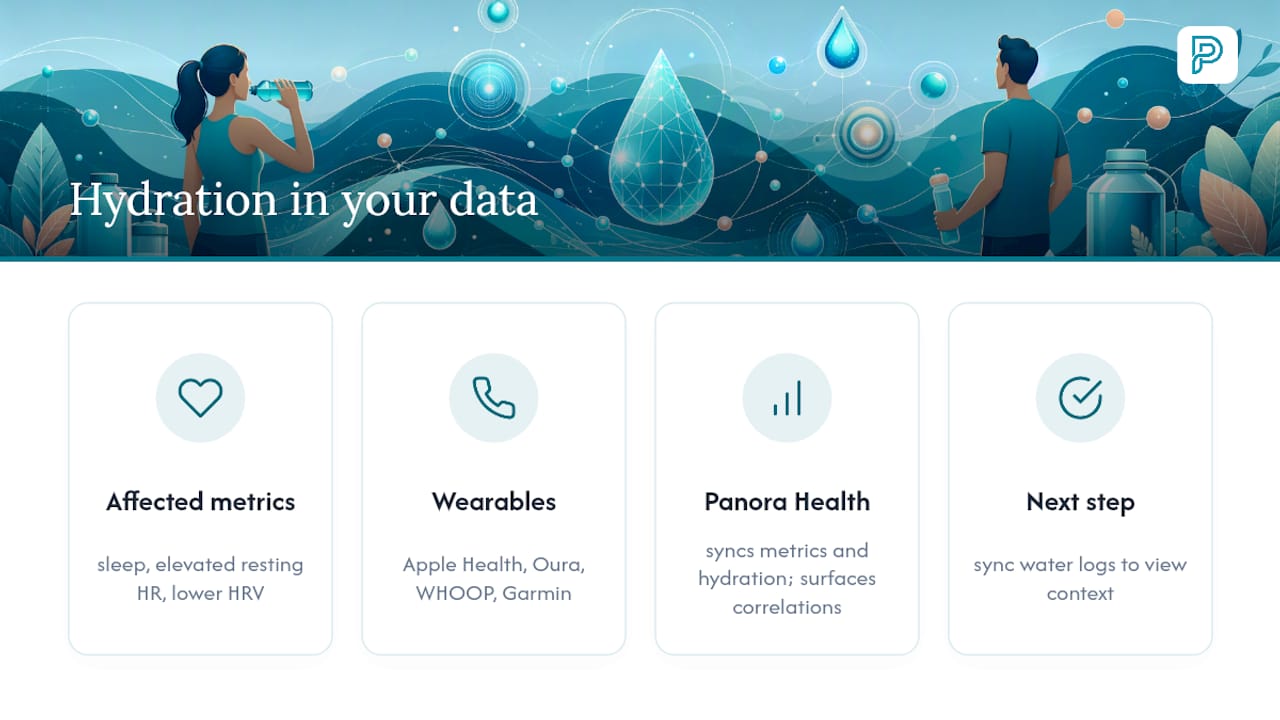
Hydration doesn’t sit in isolation from the rest of your health data. Poor fluid intake shows up in sleep quality, elevated resting heart rate, and lower heart rate variability, the same metrics your wearable already tracks nightly. It can also shift how certain lab markers read, which is one more reason context matters when you review results with a clinician.
This is the pattern Panora Health is built to surface: syncing wearable data from Apple Health, Oura, WHOOP, or Garmin alongside your hydration logs, sleep, recovery, and blood work in one place, in plain English, so you can see how a low-hydration day correlates with a rough HRV reading the next morning. Panora Health doesn’t diagnose anything or replace a clinician; it helps you notice the pattern so you know what to ask about at your next appointment. If you already log water intake, syncing that data alongside your other metrics through the health insights library is a natural next step toward seeing the fuller picture.
See your hydration alongside everything else you track
Most hydration apps stop at a glass count. Panora Health goes further: it pulls your hydration logs together with sleep, HRV, recovery, workouts, and blood work into one plain-English view, so you can actually see whether a low-water day two days ago lines up with today’s sluggish recovery score. If you’re already syncing a wearable like Oura, WHOOP, or Garmin, or you’ve got lab results sitting in a PDF somewhere, Panora Health connects those dots instead of leaving you with five disconnected apps. Download Panora to start logging drinks and syncing your devices, and if you’re exploring a more structured onboarding, the 2026 pilot program is worth a look too.
Sources
For readers who want to verify the numbers or dig deeper, these sources back the core recommendations in this article. The National Academies panel on water intake substantiates the weight-based formula and exercise adjustments. MedlinePlus covers why hydration needs are individual and when to involve a clinician. The PMC review on behavior change documents why self-monitoring boosts water intake specifically. The USGS water science page explains water’s physiological role in the body in accessible terms.
FAQ
What is the 10 gulp rule?
It’s an informal guideline suggesting roughly 10 gulps, about 8 ounces, per drinking session throughout the day rather than sipping constantly or chugging large amounts at once. It’s a rough heuristic, not an official standard, useful mainly as a mental shortcut for spacing intake evenly.
Can an Apple Watch track hydration levels?
An Apple Watch doesn’t measure hydration status directly, but it can log water intake manually or through connected apps, and that data can sync into Apple Health. Some third-party hydration apps add watch widgets for one-tap logging directly from your wrist.
Does coffee count toward daily water intake?
Yes. Coffee and tea contribute to your total fluid intake despite their mild diuretic effect, which is generally too small to offset the water content of the drink itself at normal consumption levels.
How many 16 oz bottles of water should I drink a day?
For a 70 kg (154 lb) adult, the weight-based formula of 35 ml per kilogram works out to about five 16-ounce bottles daily, though the exact number scales with your own body weight and rises with exercise or heat. Check the target table above for other weight ranges.
Can Panora Health tell me if I’m dehydrated?
Panora Health doesn’t diagnose dehydration or any health condition. It helps you log hydration alongside sleep, recovery, and wearable data so you can spot patterns and bring informed questions to a clinician.
Recommended
-
Why Tracking Your Macros Actually Works (And Where Most People Go Wrong)
-
Why Your Blood Work, Sleep, and Nutrition Are More Connected Than You Think
-
The Sleep-Recovery Connection: Why Duration Isn’t Everything
Created with BabyLoveGrowth to build backlinks
This article is educational general-wellness information, not medical advice. Panora Health is a General Wellness product, not a medical device. Discuss your own lab results and health questions with a qualified clinician.
Panora Health AI provides wellness information, not medical advice. This is not a substitute for professional medical diagnosis or treatment. Always consult a qualified healthcare provider before making health decisions.